




| Model | Size | Resolution / Refresh Rate | Panel | Connectivity / Hub | Stand / Adjustability | Warranty | Notes |
|---|---|---|---|---|---|---|---|
| Dell UltraSharp 24 Monitor - U2424H | 23.8" | 1920 × 1080 @ 120Hz | IPS | Standard monitor with USB hub | Height, Tilt, Swivel, Pivot | 3 Years Warranty | FHD UltraSharp monitor |
| Dell UltraSharp 27 Monitor - U2724D | 27" | 2560 × 1440 @ 120Hz | IPS Black | Standard monitor with USB hub | Height, Tilt, Swivel, Pivot | 3 Years Warranty | QHD UltraSharp monitor |
Dell’s first 4-star certified monitor for eye comfort*
Experience a new level of comfort and productivity.
*Based off TÜV Rheinland® Eye Comfort certification, August 2023.
*Based off TÜV Rheinland® Eye Comfort certification, August 2023.

Unparalleled visual comfort
Ambient Light Sensor: A built-in Ambient Light Sensor intelligently optimises brightness and colour temperature based on your surroundings.
Improved ComfortView Plus: Reduces harmful blue light emissions to ≤35%, for all-day comfort without sacrificing colour accuracy.
A smoother visual experience: A 120Hz refresh rate delivers less flicker, more seamless scrolling and smoother motion than 60Hz monitors.
Improved ComfortView Plus: Reduces harmful blue light emissions to ≤35%, for all-day comfort without sacrificing colour accuracy.
A smoother visual experience: A 120Hz refresh rate delivers less flicker, more seamless scrolling and smoother motion than 60Hz monitors.
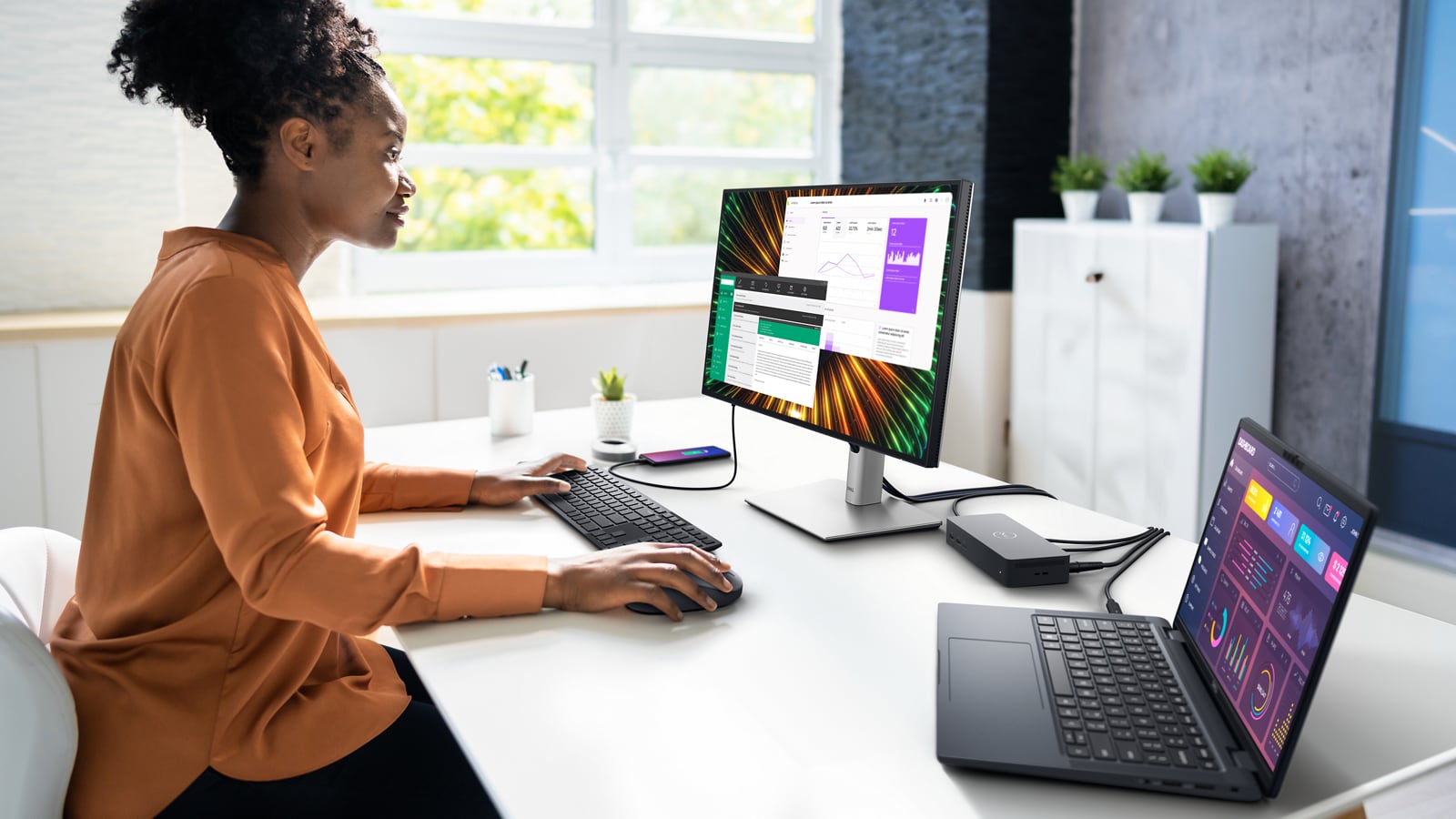
Work vibrantly
Vivid colour: Enjoy 1.07 billion colours and a wide colour coverage across industry standards, including 85% DCI-P3, 100% sRGB and 100% BT.709. Get color calibration accuracy of Delta E < 2 (average) (sRGB, BT.709).
Connect to productivity
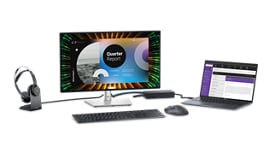
Extend your connectivity: Connect to more with DisplayPort 1.4, HDMI (HDCP 1.4)(supports up to FHD 1920 x 1080 120Hz TMDS as specified in HDMI 1.4), USB-A and USB-C ports that provide speeds of up to 10Gbps.
Connect with ease: Simply plug in accessories and devices with a quick-access USB-A port and a USB-C port that delivers up to 15W of power.
Designed for comfort
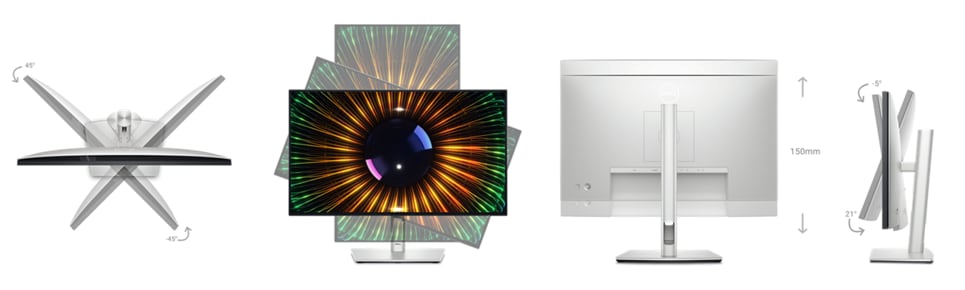
Fit your work style: Tilt, swivel, pivot and adjust the height of your monitor to work your way.
Stay focused on your work: Our infinity edge screen provides a virtually borderless experience.
Work beautifully: A premium platinum silver finish enhances any workspace.
Stay focused on your work: Our infinity edge screen provides a virtually borderless experience.
Work beautifully: A premium platinum silver finish enhances any workspace.

Green thinking for today and tomorrow
Environmental standards: This monitor uses 85% PCR (post-consumer recyclable) plastic and 90% recycled aluminum in the design. It meets the latest environmental standards such as EnergyStar® and TCO Certified Edge and is EPEAT® Gold registered.
Eco-conscious packaging: Dell monitors ship in boxes made with 100% renewable content that is also 100% recyclable.
Energy conservation: Save energy with PowerNap, a feature that dims or puts your monitor to sleep when not in use.
Works with devices on macOS®*
Tested with devices on macOS, this monitor is ready-to-work with Mac® devices. Requires USB-C or HDMI connectivity. Daisy chaining multiple displays via a single cable requires Thunderbolt connectivity. Please check your device for compatibility, as select M-series chips may not support some features. Install Dell Display and Peripheral Manager application to customise advance settings.
*Based on internal testing of select Dell monitors with HDMI connection to devices on macOS, June 2024. Some features may not be supported.
*Based on internal testing of select Dell monitors with HDMI connection to devices on macOS, June 2024. Some features may not be supported.
Dell Display and Peripheral Manager
Experience Dell’s singular, innovative application to optimise the performance of your entire Dell PC workspace.

Maximise productivity
Easy Arrange tiles apps across screens with pre-set partitions and customises up to five windows, enhancing multitasking. Easy Arrange Memory saves and restores app profiles manually, on schedule, or at start-up.
Easy navigation
Control and work across multiple network or USB connected PCs and monitors with a single keyboard and mouse, seamlessly transferring files between them.
More manageable
Save time and boost IT efficiency with the Dell Device Management Console to manage your Dell peripheral fleet at scale, from a single cloud-based console. Discover expanded Command Line Interface features from Dell Display and Peripheral Manager.
Disclaimer: Screen image simulated for illustrative purposes only. Monitor model may vary.
Easy Arrange tiles apps across screens with pre-set partitions and customises up to five windows, enhancing multitasking. Easy Arrange Memory saves and restores app profiles manually, on schedule, or at start-up.
Easy navigation
Control and work across multiple network or USB connected PCs and monitors with a single keyboard and mouse, seamlessly transferring files between them.
More manageable
Save time and boost IT efficiency with the Dell Device Management Console to manage your Dell peripheral fleet at scale, from a single cloud-based console. Discover expanded Command Line Interface features from Dell Display and Peripheral Manager.
Disclaimer: Screen image simulated for illustrative purposes only. Monitor model may vary.

